
Everything between a PDF and a closed deal.
Practical playbooks for turning the catalog you already have into a channel that captures leads, tracks interest and brings readers back.
The complete guide to turning a PDF catalog into a lead engine
From upload to closed deal: branding, reading modes, quote forms, Buy-Now links, analytics and the share channels that actually convert.
Read the guide →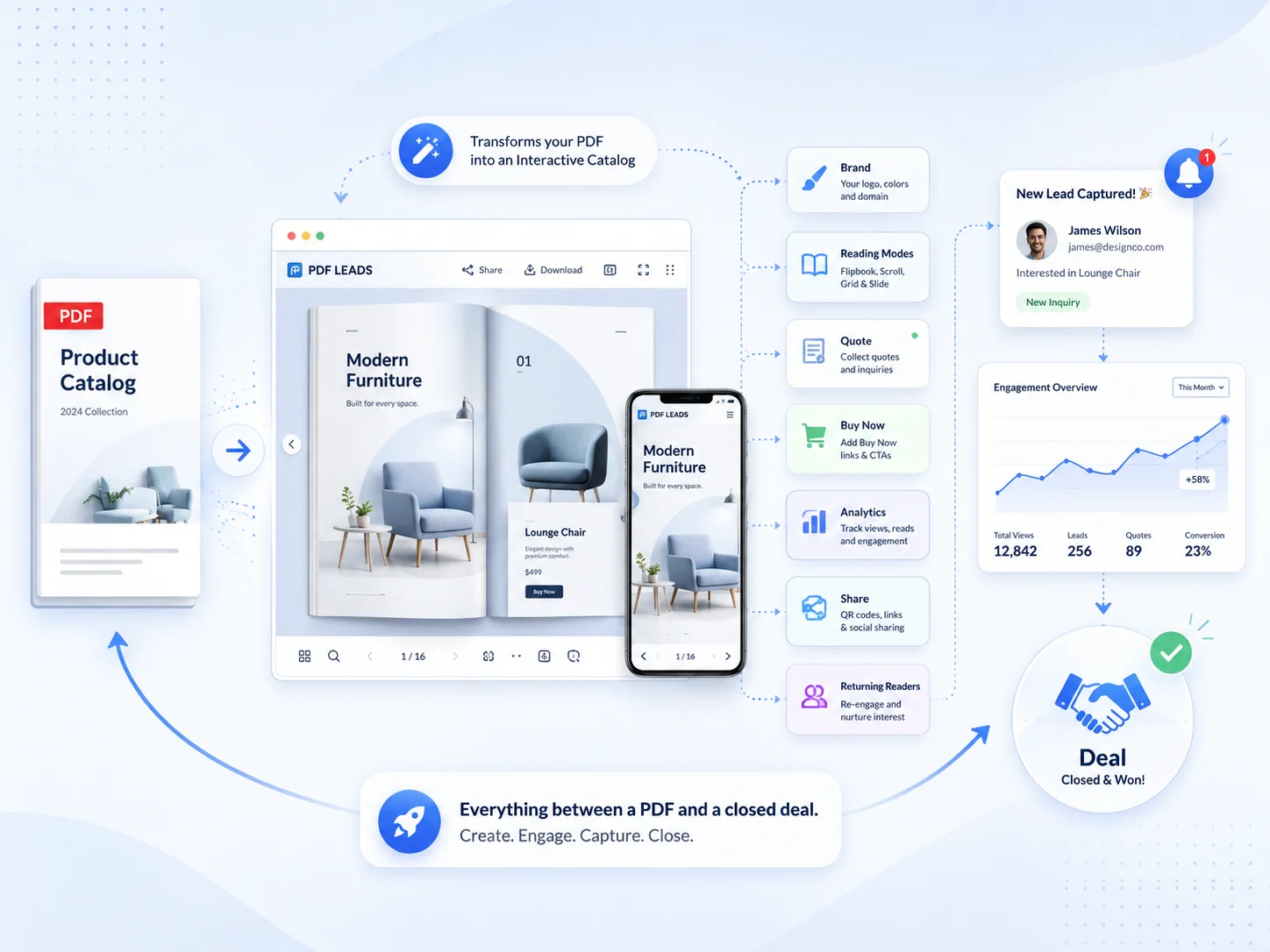
Getting started
Upload → liveHow to turn a PDF into an interactive flipbook
The five-minute path from a printed catalog to a branded, shareable, mobile-first flipbook.
BrandingSet up a branding preset you reuse on every catalog
Logo placement, fonts, colors and card styling — configured once, applied everywhere.
Reading modesPage-flip, swipe, scroll: which reading mode to use
How to pick the right mode per device so phone readers never pinch-to-zoom again.
Turn readers into leads
The selling layerBuild a quote form that captures real buying intent
Field types, validation and auto-replies — with the exact page attached to every request.
Buy-NowAdd Buy-Now & reorder links to individual pages
Take readers from “nice catalog” to checkout in a single tap, styled to your brand.
Email gateWhen to gate your catalog (and when not to)
Trade a little friction for a lead list — without scaring off genuine buyers.
Grow & measure
Analytics & reachReading per-page analytics: views, dwell & drop-off
What the numbers actually tell you about which pages sell and which to cut.
QR & sharingQR codes, email signatures & social cards that convert
The share channels that drive scans — and how to tell which door each lead came through.
PushUse push notifications to bring readers back
Turn home-screen installs into a channel you own, and send the offer that closes the sale.
Playbooks by industry
New here? Start with flipbook vs static PDF.
Stop reading. Start capturing.
Your first interactive catalog takes minutes — and the free plan needs no credit card.
Start free →